
DRPU Packaging and Supply Distribution Industry Screenshots
To design barcode labels for Packaging and Supply Distribution Industry follow the below steps:
Step1: Change color settings in Quick Barcode Mode.
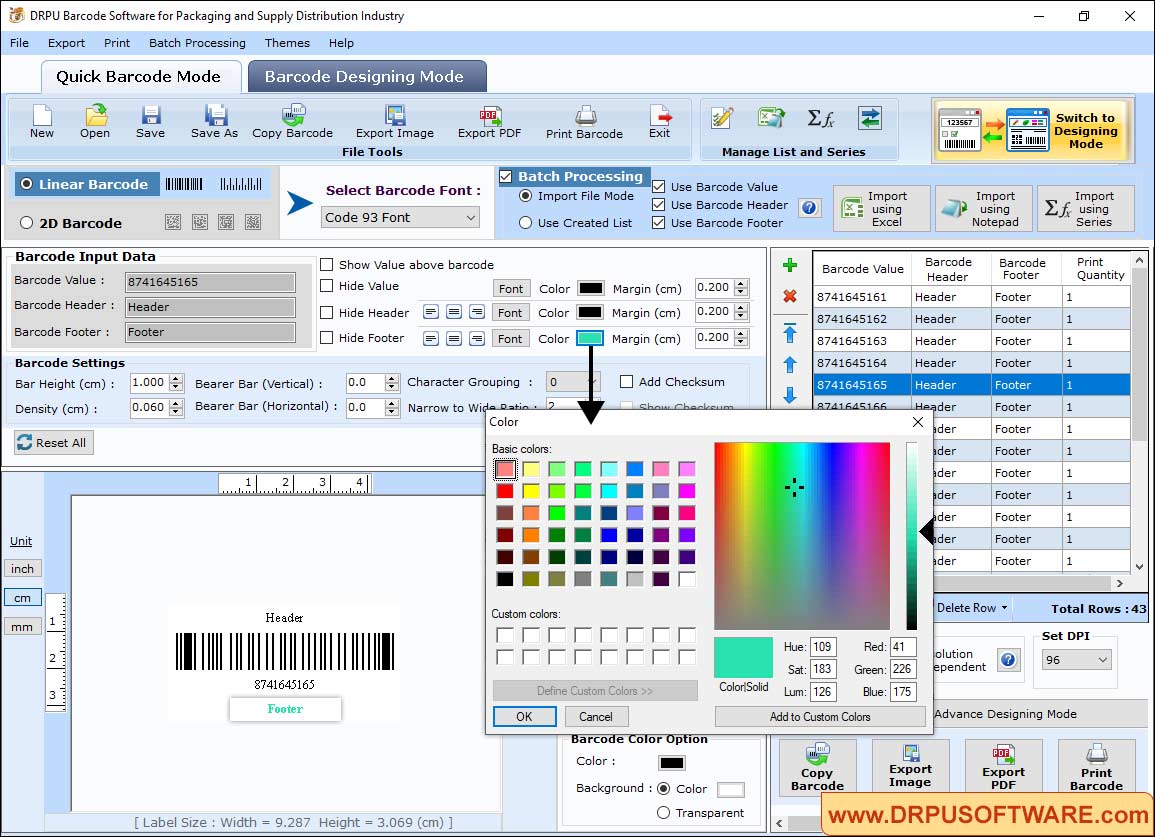
Choose Barcode Technology (Linear and 2D) and Barcode font. You can specify barcode color, barcode header color , barcode footer color and barcode value color as per your need.
Step2: Add image on barcode label using Barcode Designing Mode.
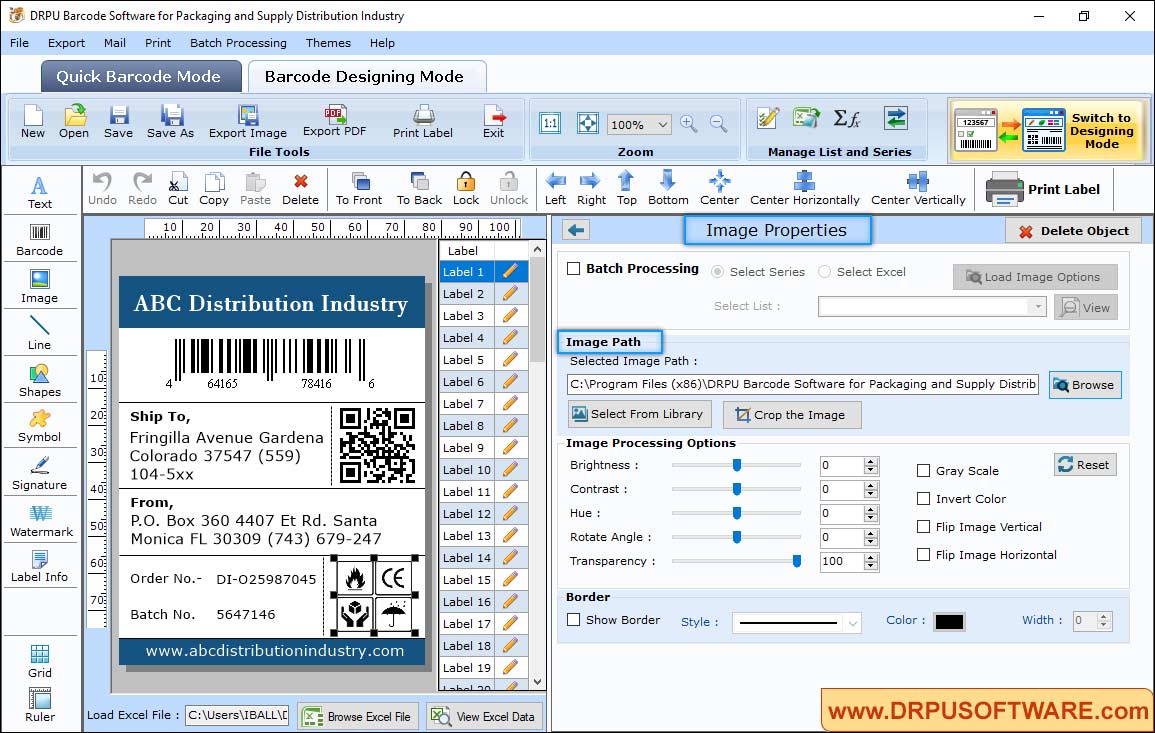
- Select Image from library or browse image path from your computer.
- Crop the image according to size of designed label.
- Set brightness, contrast, hue and rotate angle of image.
- you can also flip image horizontally and vertically.
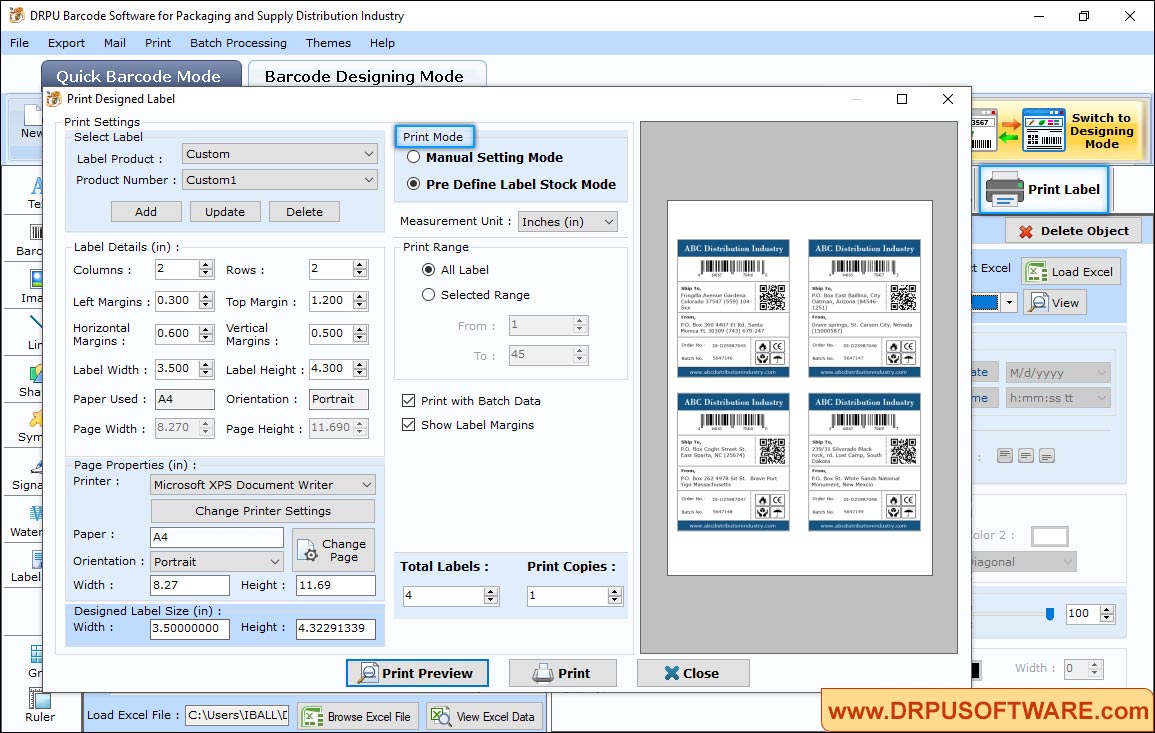
Step3: Select Print settings options (Pre Define Label Stock or Manual) and adjust barcode labels as per requirement.
Other Barcode Software :-

Barcode Label Maker Software

MAC Barcode Maker - Standard

MAC Barcode Maker - Corporate

Barcode Label Maker - Corporate Edition

Barcode Label Software - Professional

Barcode Software for Publishers and Library

Barcode Software for Health Care Industry

Barcode Software for Post office and Banks

Barcode Software for Packaging and Supply

Barcode Software for Industrial Business

Barcode Software for Inventory Control