
DRPU Barcode Software for Inventory Control and Retail Business Screenshots
To design barcode labels for Inventory Control and Retail Business follow the below steps:
Step1: Select 2D barcode from Quick Barcode Mode.
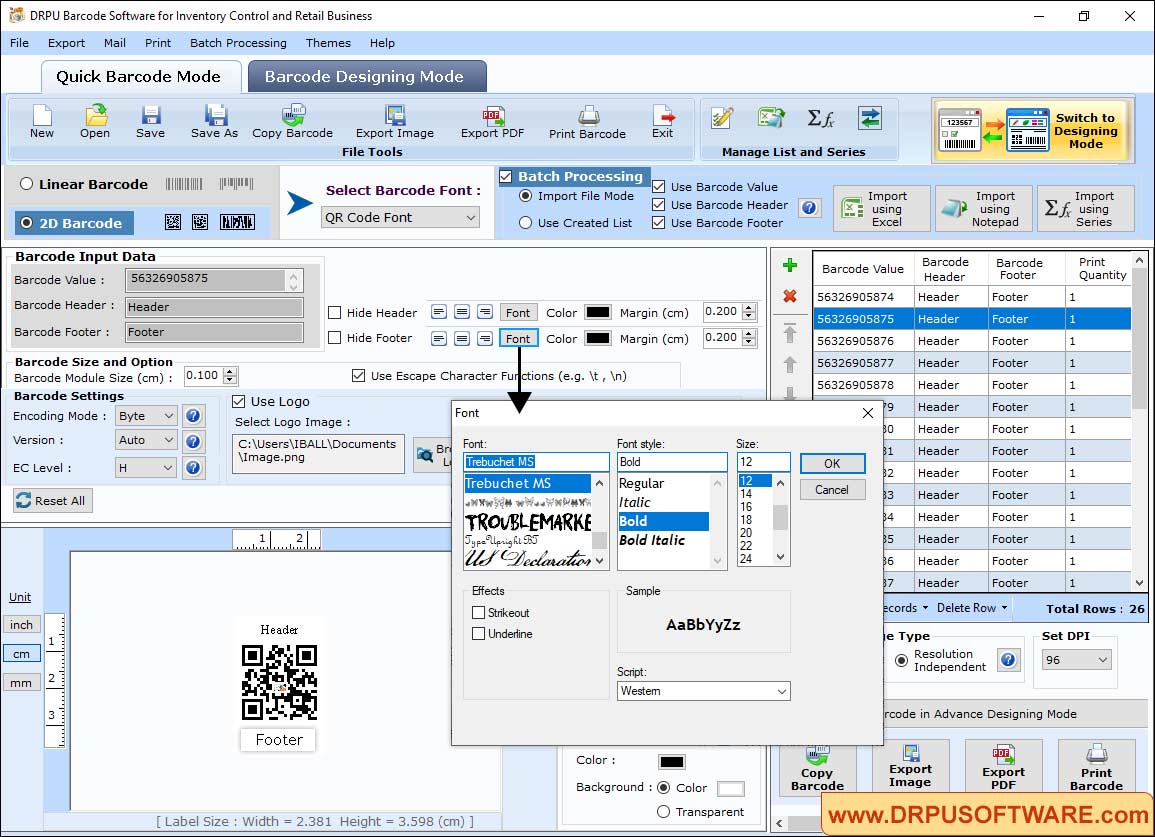
- Change Barcode Module Size and select Use Escape Character Function
- Select Encoding Mode, Version and EC Level
- Check Use Logo and select logo image
- Change the font style, size and effects of barcode values
Step2: In Barcode Designing Mode, manage text by changing the alignment and color of text.
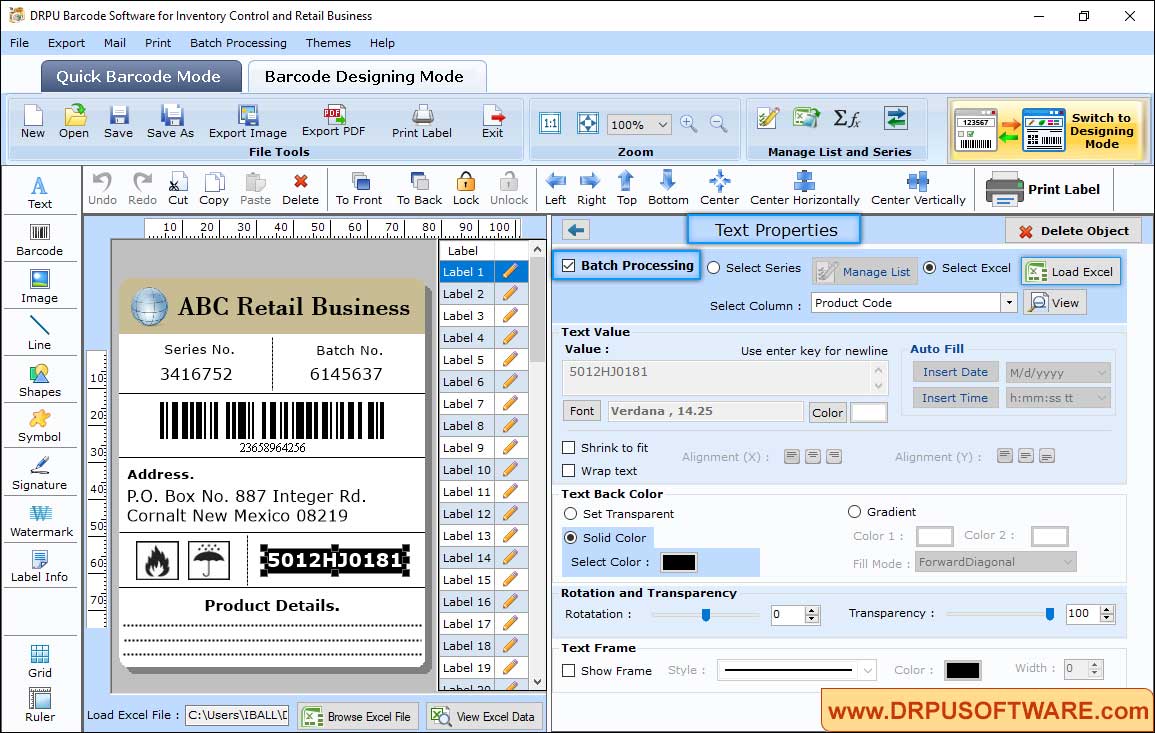
Select excel to load data on industrial retail barcode label. Choose solid color for text then change rotation and transparency.
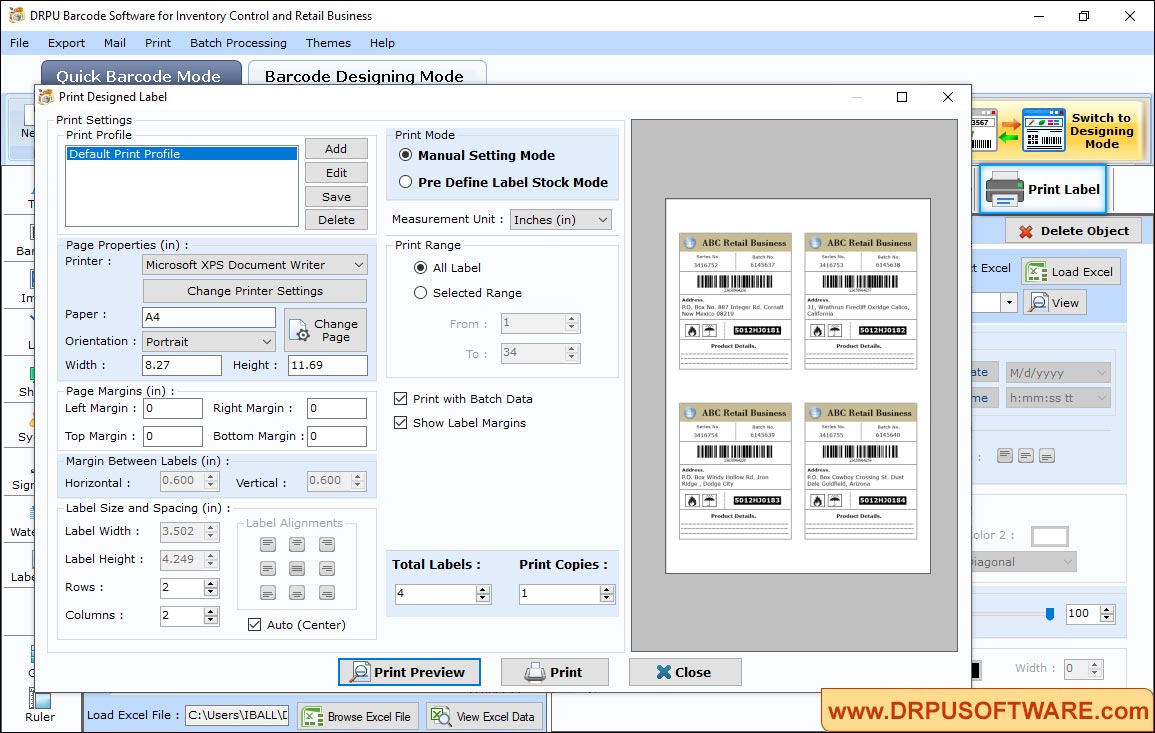
Step3: Go to the Barcode Settings, click on print option and choose print mode either 'Pre Define Label Stock' or 'Manual' to print designed barcode labels.
Other Barcode Software :-

Barcode Label Maker Software

MAC Barcode Maker - Standard

MAC Barcode Maker - Corporate

Barcode Label Maker - Corporate Edition

Barcode Label Software - Professional

Barcode Software for Publishers and Library

Barcode Software for Health Care Industry

Barcode Software for Post office and Banks

Barcode Software for Packaging and Supply

Barcode Software for Industrial Business

Barcode Software for Inventory Control