
DRPU Industrial Business Barcode Screenshots
To design barcode labels for Industrial Business follow the below steps:
Step1: In Quick Barcode Mode, simply barcode type (Linear Barcode or 2D Barcode).
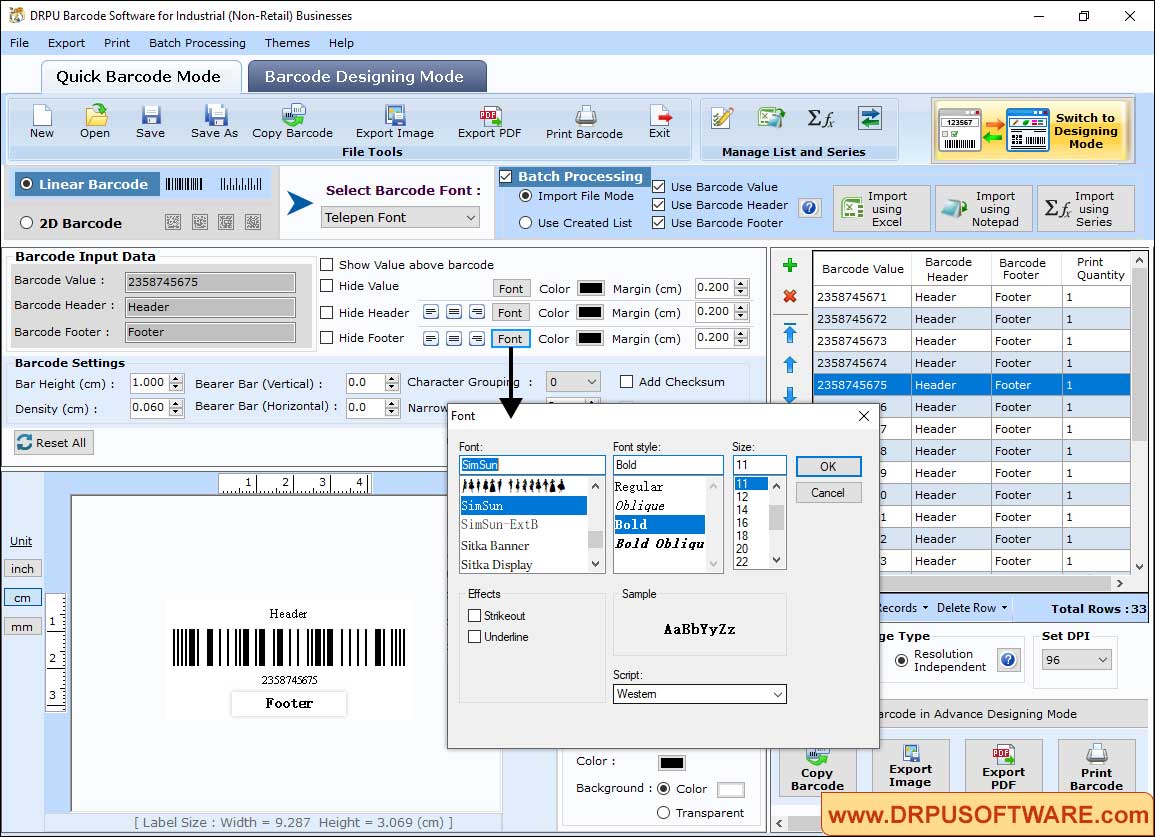
- We select Telepen Font for demonstartion. Import Excel file to load barcode data
- Change barcode font, style and size. Click Reset All to remove the barcode details
Step2: In Barcode Designing Mode, simply click Shapes from the left side to add shapes on label.
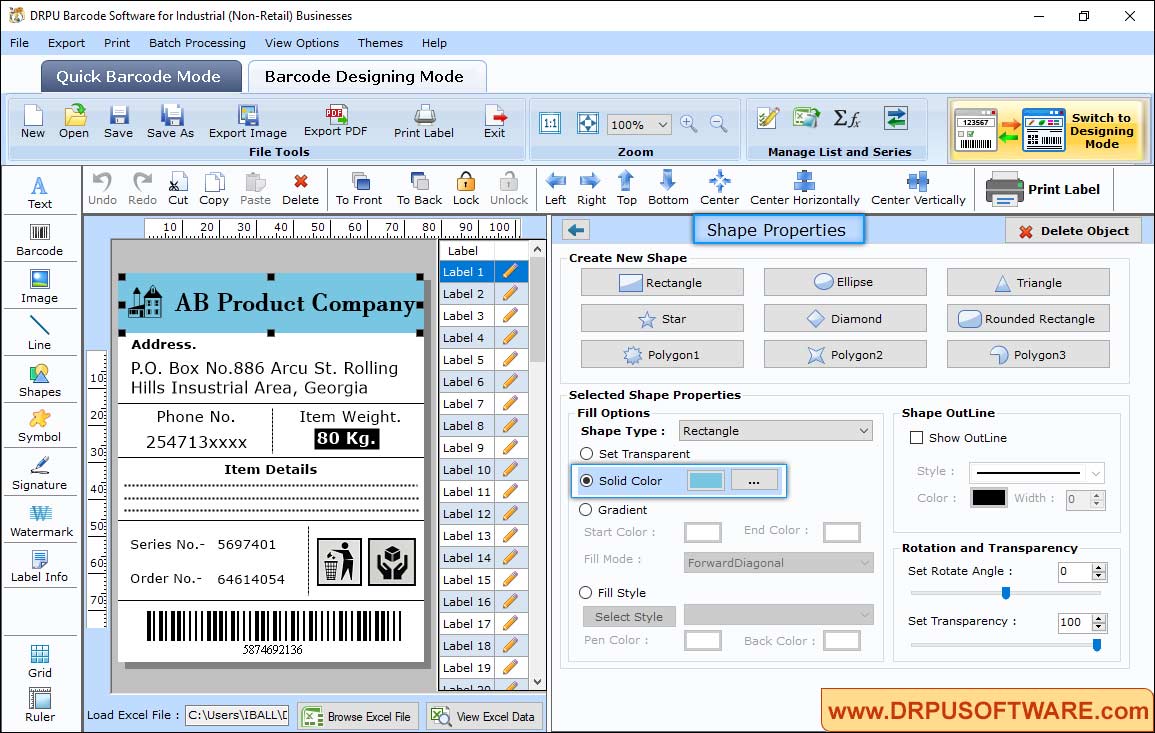
- Choose any one shape from Rectangle, Star, Polygon and so on.
- According to shape type, select gradient or fill style.
- Select show outline if needed then set rotate angle and transparency.
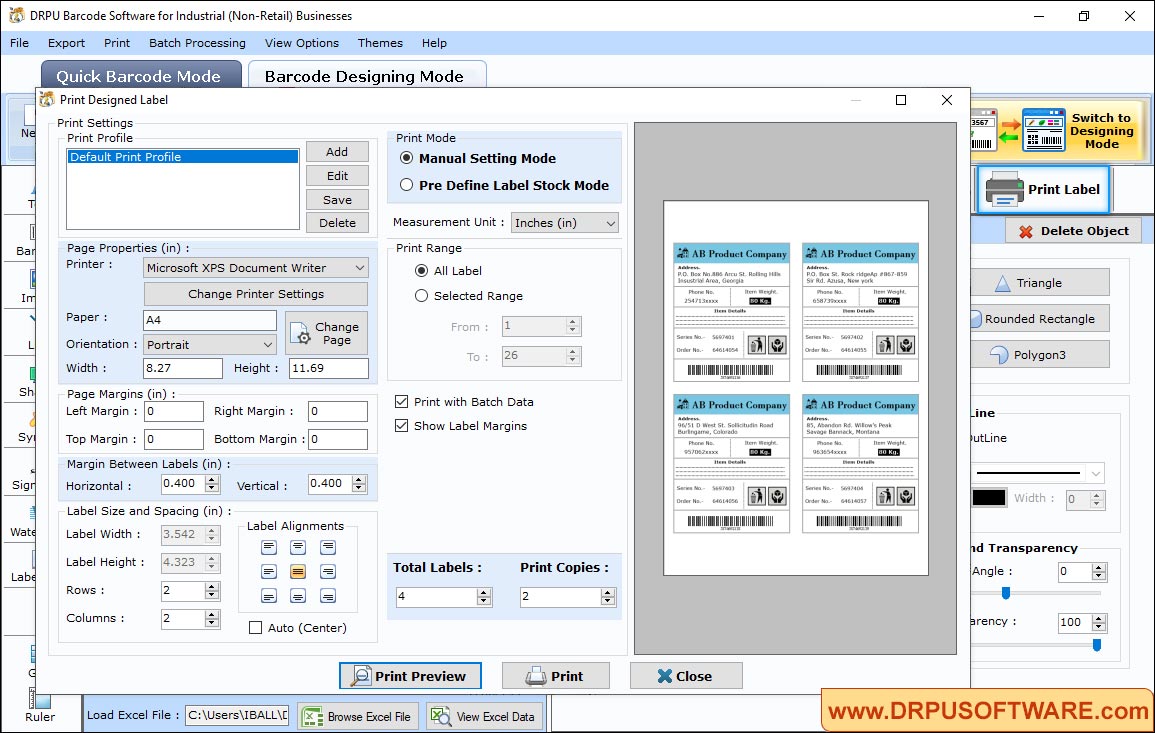
Step3: Go to the Print option in 'Barcode Settings' and choose print mode either 'Pre Define Label Stock' or 'Manual' to print designed Barcode labels.
Other Barcode Software :-

Barcode Label Maker Software

MAC Barcode Maker - Standard

MAC Barcode Maker - Corporate

Barcode Label Maker - Corporate Edition

Barcode Label Software - Professional

Barcode Software for Publishers and Library

Barcode Software for Health Care Industry

Barcode Software for Post office and Banks

Barcode Software for Packaging and Supply

Barcode Software for Industrial Business

Barcode Software for Inventory Control