DRPU All in One Photo Frame Maker

➤ Add beautiful photo frames to your pictures for free at DRPU Software! Photo frame maker can help you add picture frames to beautify your photos.
Download 'All In One Photo Frame Maker' to apply any type of Photo Frame such as Birthday, Friendship, Romantic & Love, kids photo frame and many others on your photos.
Choose photo from Album and select a frame and create your photo frames. You can email your designed photo with frame via email using inbuilt Email settings option. You can easily print it using advanced print settings option.
How to Add Frame to Your Photo using DRPU Photo Maker
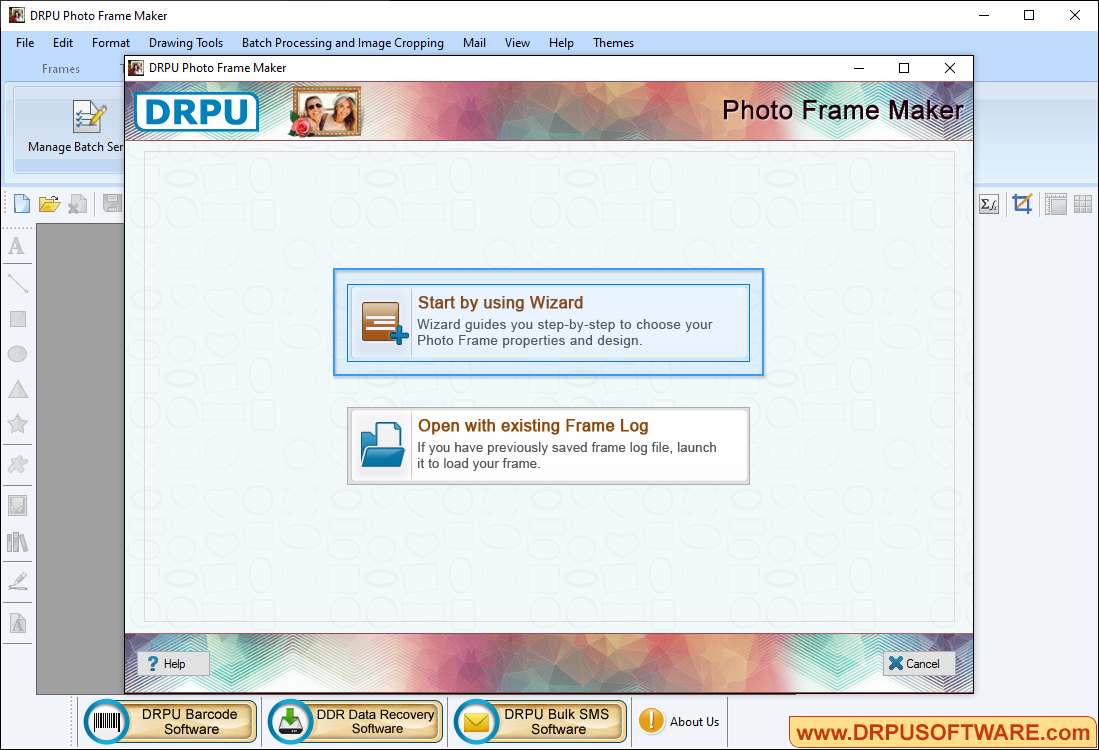
Select any one option either 'Start by using Wizard' or 'Open with existing Frame Log'.
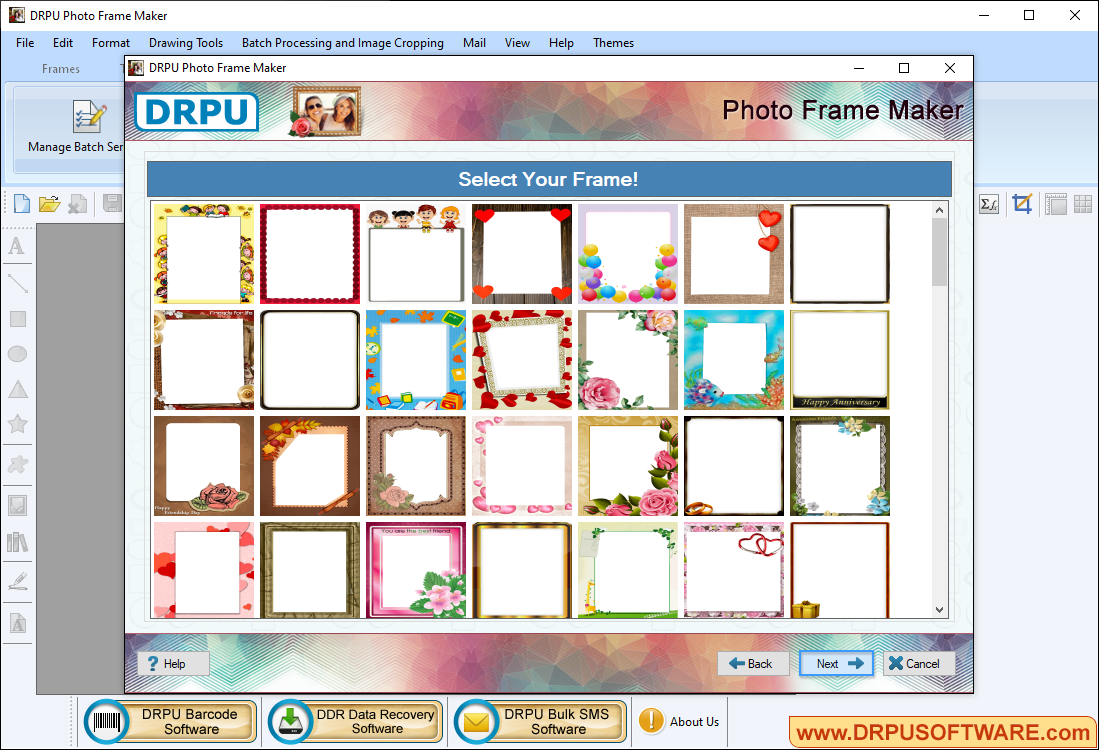
Select your Frame you would like to add on your photo and click 'Next' button to continue.
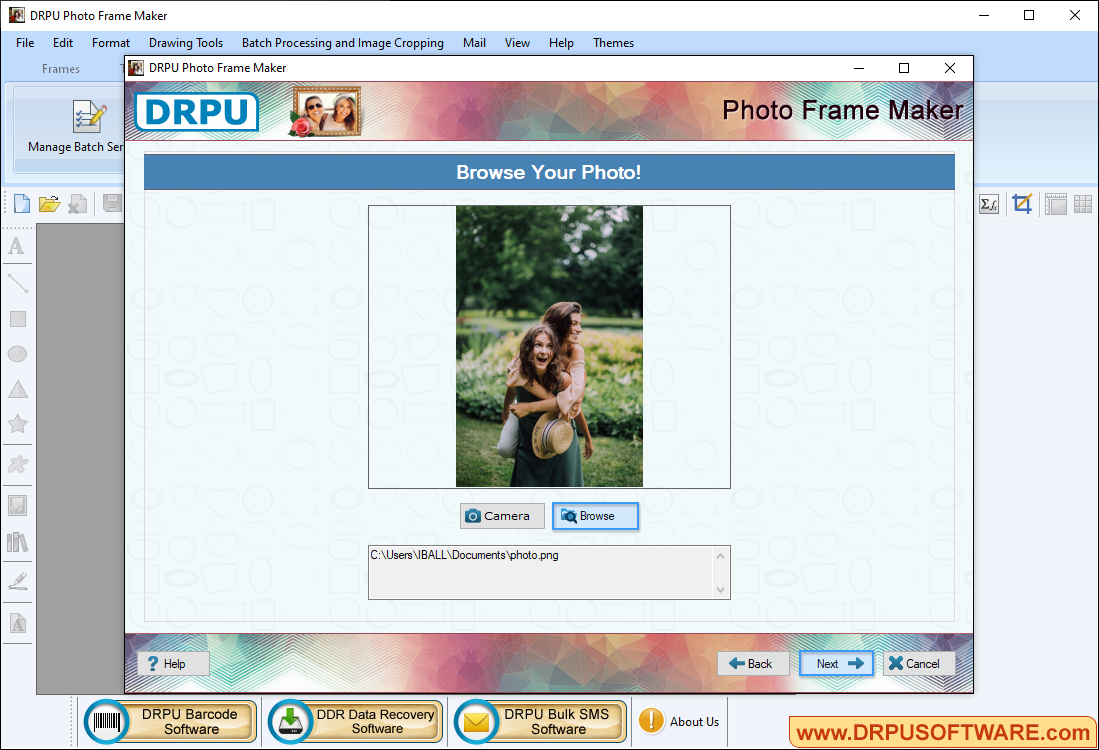
Browse your photo, to which you want to add frame. You can also use 'Camera' option to capture your photo.
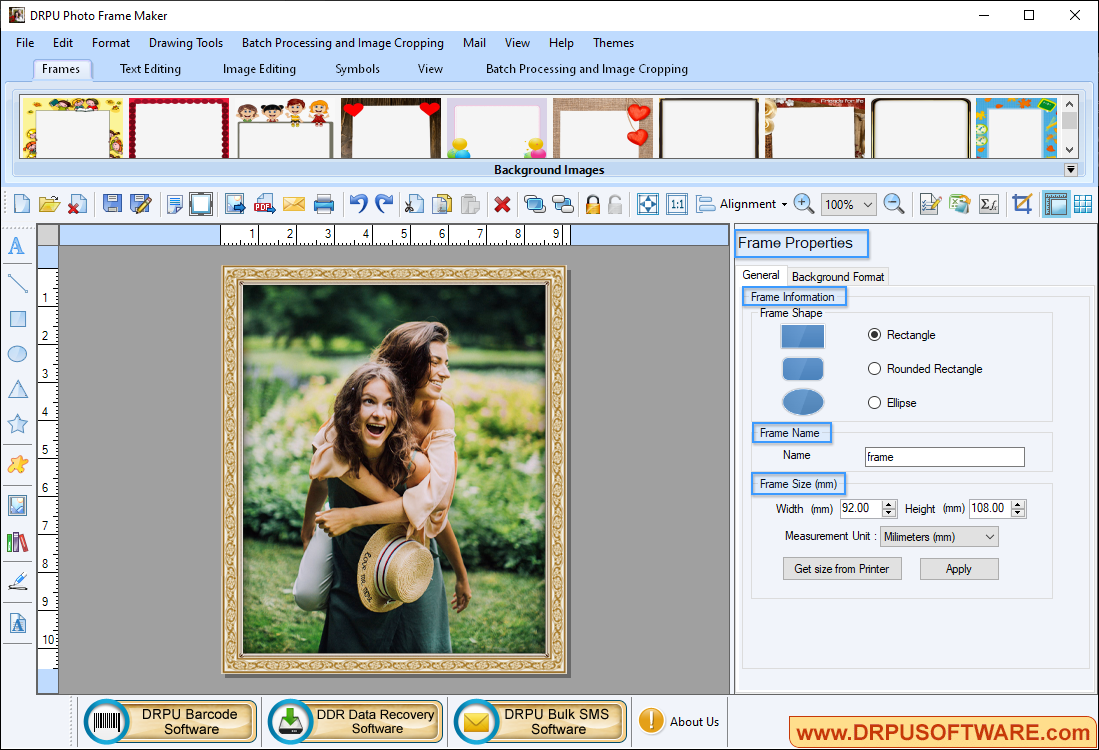
Here, you can adjust frame settings like frame background settings solid color, gradient color, transparency etc.
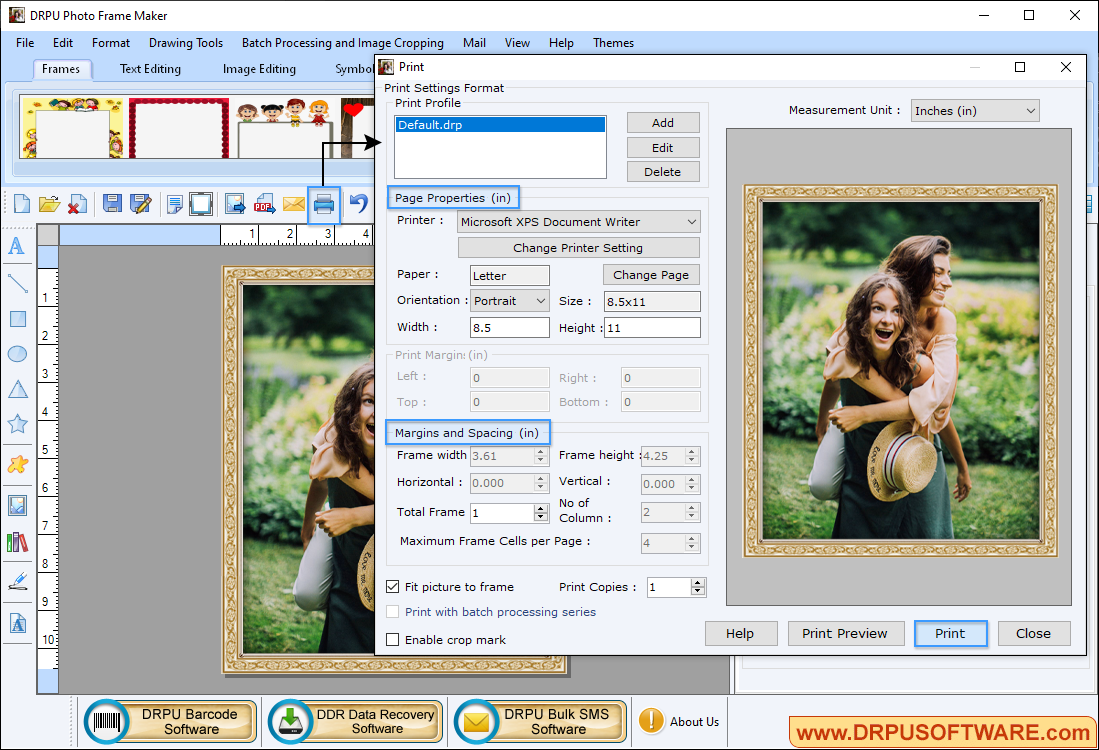
To print designed 'Photo with Frame' set all print settings and click on 'Print' button.
Software Features
You can capture photo using inbuilt camera in app or you can also browse the path of that image.
Save your created photo with frame in various file formats including JPEG, PNG, TIFF, Bitmap, GIF and PDF.
Software has advanced Email Setting feature to send photo with frame at specified email address.
E-mail setting option to send designed love greeting card to the specified email ID.
Add multiple frames on your photo with different images and text using Batch Processing Series option.
Facility to print photo with frame using print setting option with support to all major types of printers.