DRPU Anniversary Invitation Card Maker Software for Mac

Design and print your own Anniversary invitations. Now you can make your event more elegent by designing beautiful anniversary invitation cards using DRPU Anniversary Invitation Card Maker software.
➤ Software is having various invitation card templates and designing tools including ClipArt, Line, Text, Shape Type, Insert image etc.
➤ You can email your designed anniversary invitation card to the specified E-mail ID with the help of E-mail setting feature.
Steps to Design Anniversary Invitation Card Maker on Mac
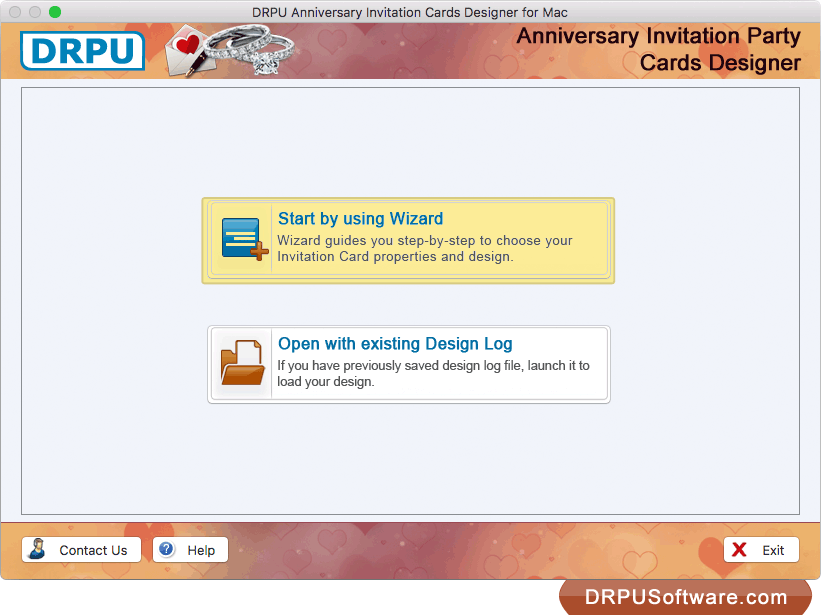
Choose any option either 'Start by using Wizard' or 'Open with existing Design Log' to start designing Invitation Party Card.
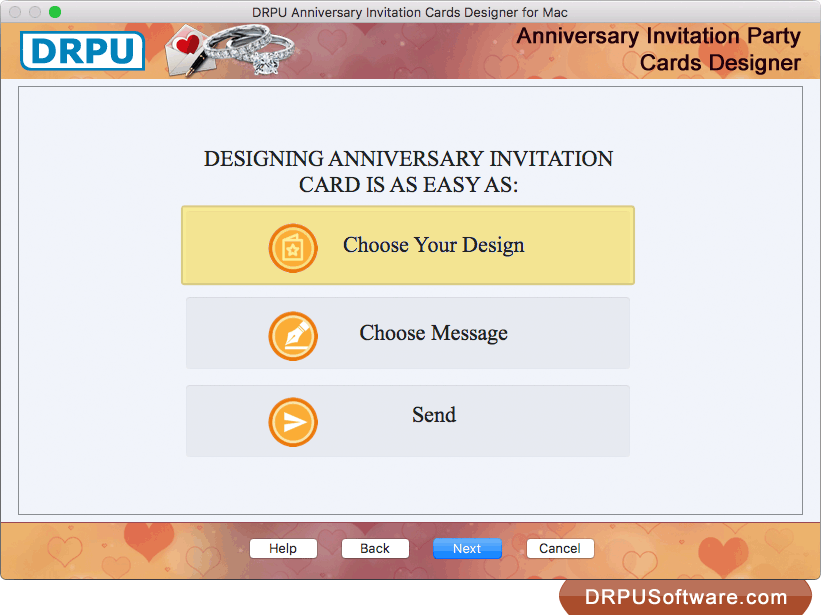
For designing anniversary invitation card, you just need to choose Design, Message and then send designed card.
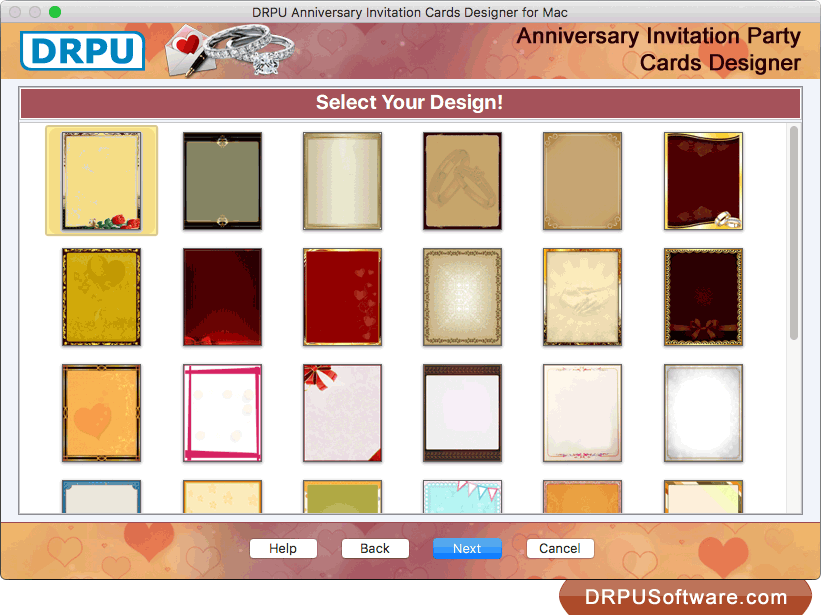
Now, You can select any one template as per your choice. Click on 'Next' button.
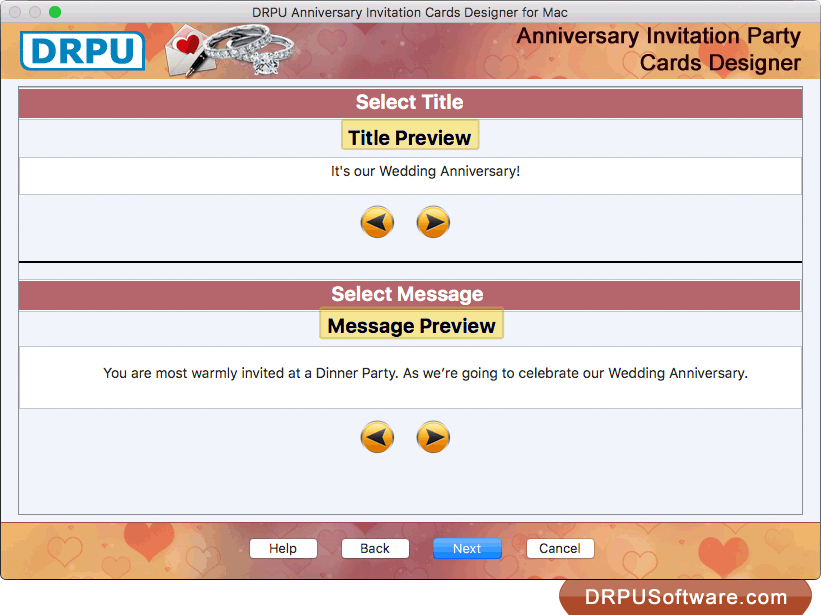
Select your title and message for your anniversary Card.
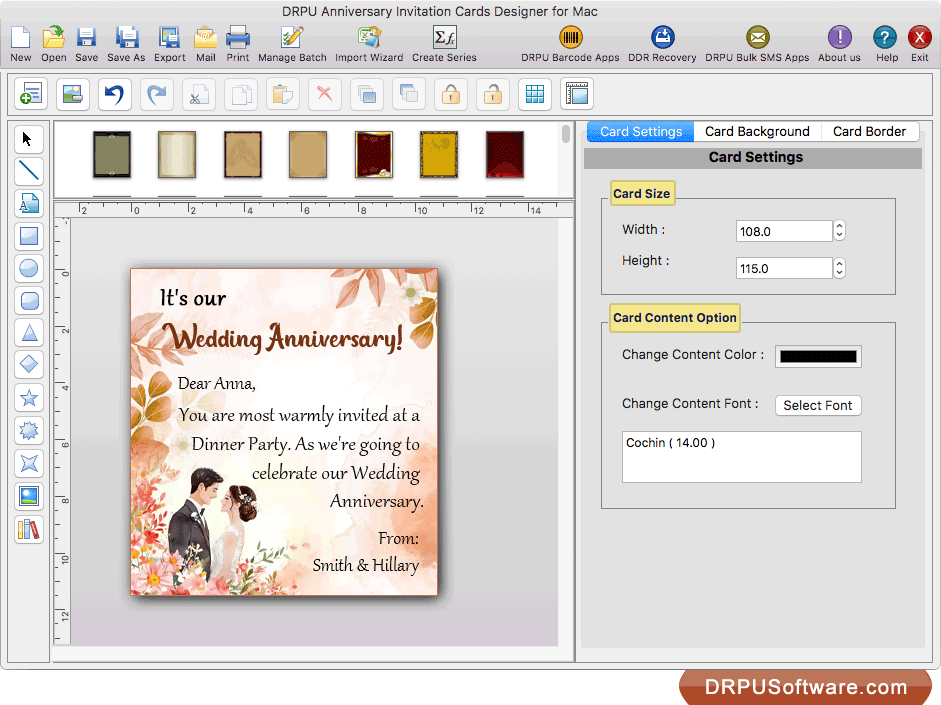
Here, you can change size of your card, content using Card Settings option.
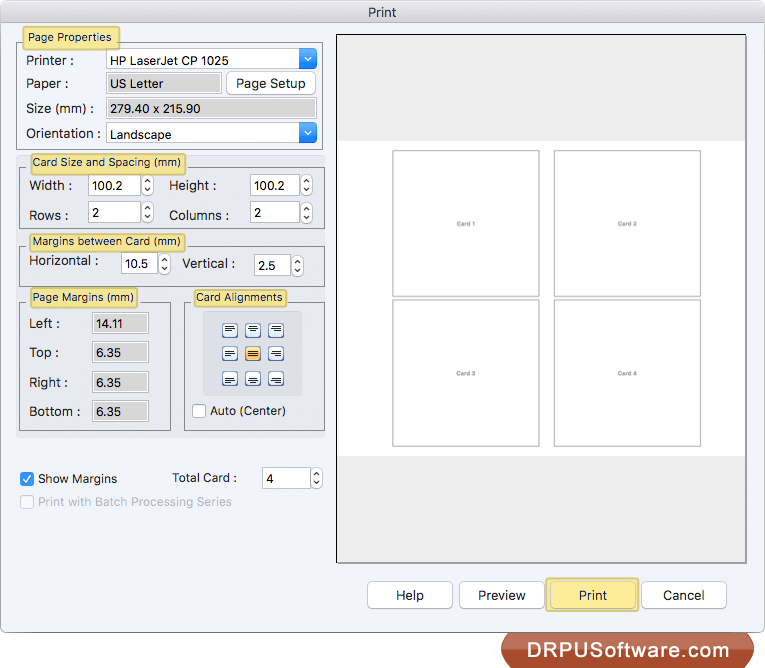
To print your designed Anniversary Card, set all page properties and other print settings. Click on 'Print' button.
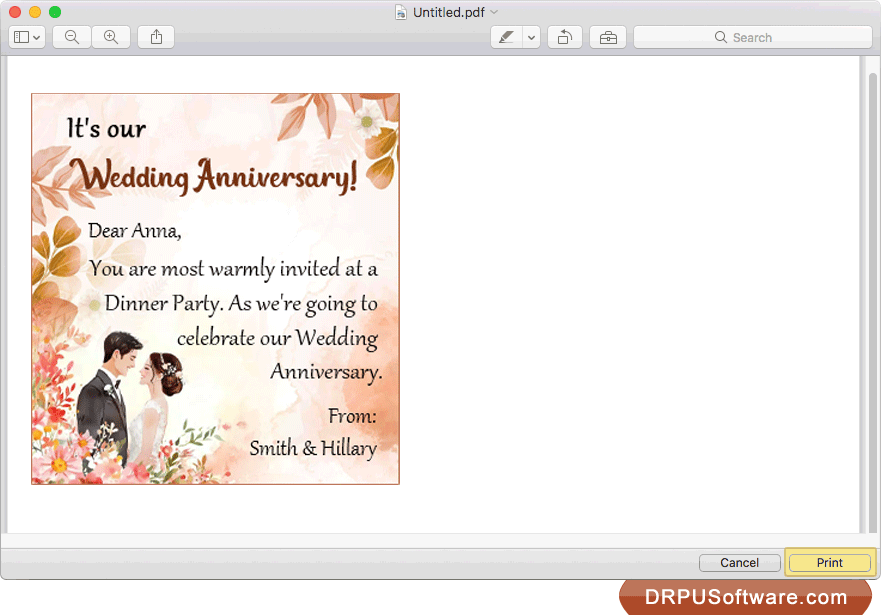
Here is your preview. You can also see print preview of your designed card using 'preview' option.
Software Features
Design Anniversary Invitation Card either by choosing 'Start by using Wizard" option or "Open with existing Design Log" option.
Advanced Print setting feature for printing designed anniversary invitation card with support to all major types of printers.
Provides option to save designed anniversary card in various file formats including JPEG, PNG, TIFF, Bitmap, GIF and PDF.
You can send your designed invitation card to single as well as multiple E-mail addresses simultaneously using E-mail setting option.
Option to select image from library while designing anniversary invitation Card.
You can design multiple anniversary invitation cards with different images and text value using Batch Processing Series Option.