
DRPU Purchase Order Management Software Screenshots
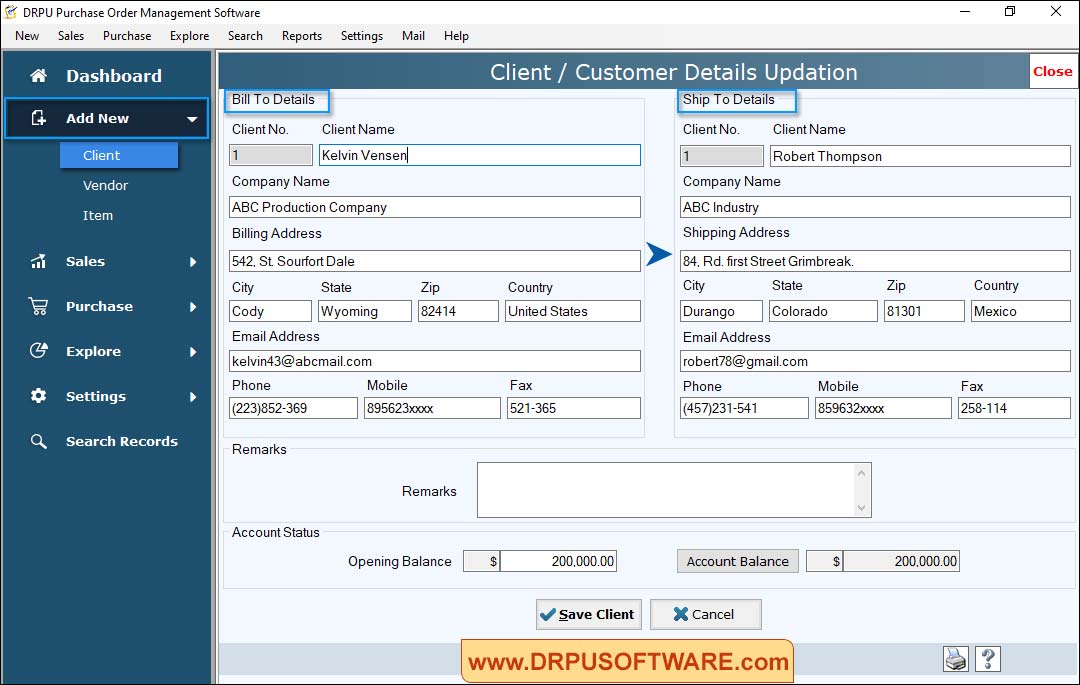
Select Add New Button to Enter “Client Details” and “Additional Details” then click on “Save Client” button to save filled details.
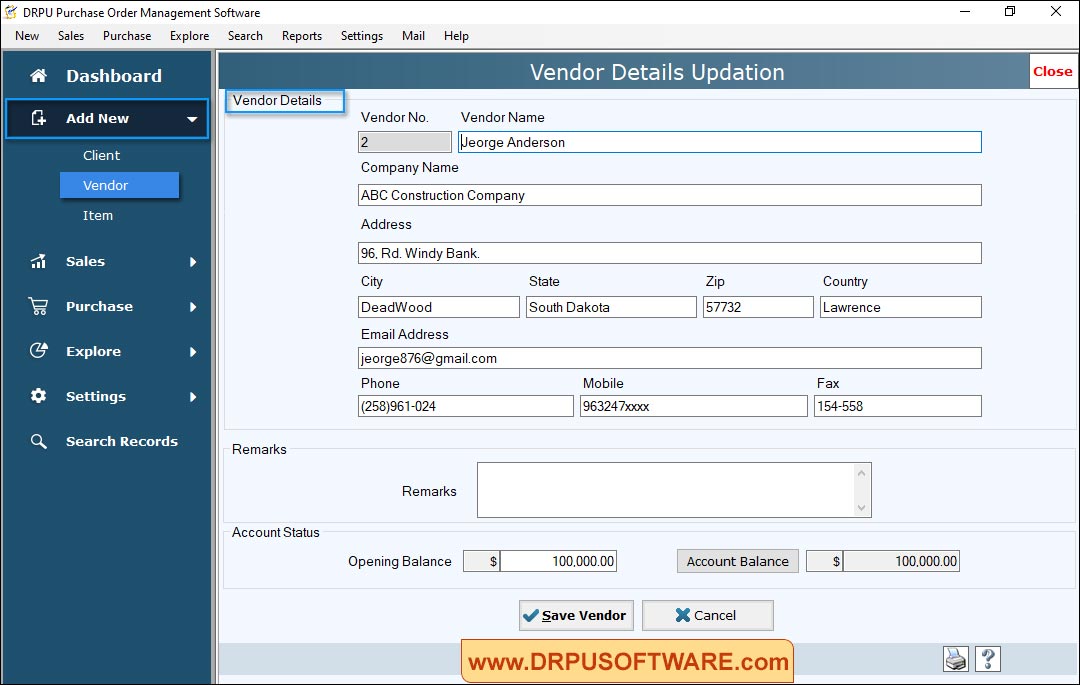
Fill all required fields of “Vendor Details” then click on “Save” button to save details.
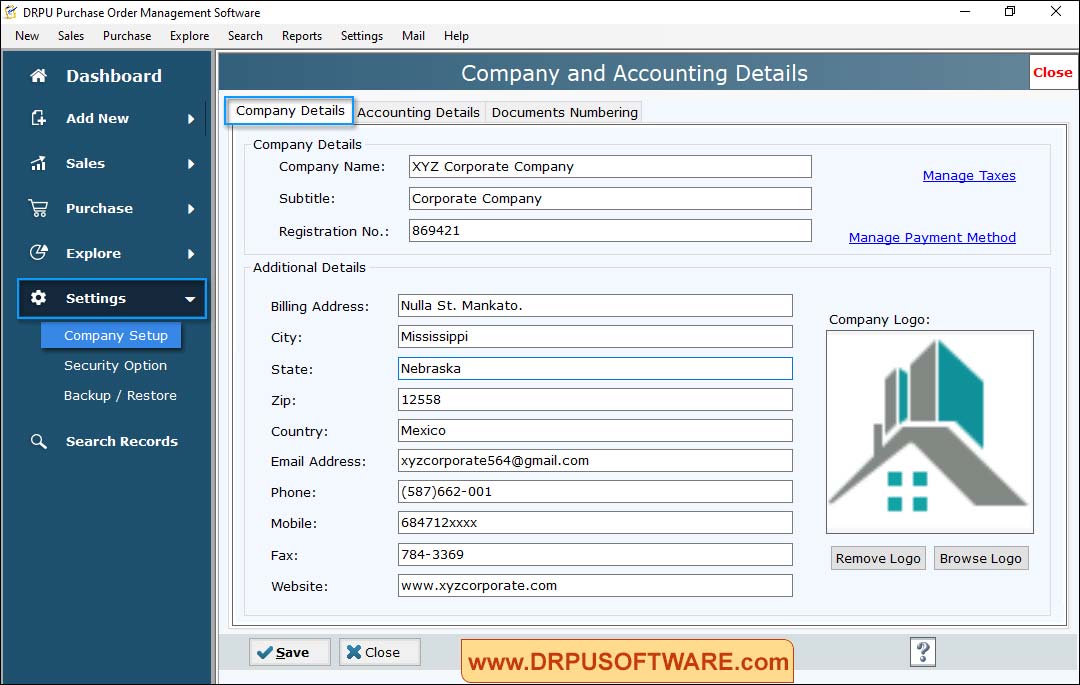
Select Company Setup Option Enter "Company and Accounting details" then click on “Save” button to save details.
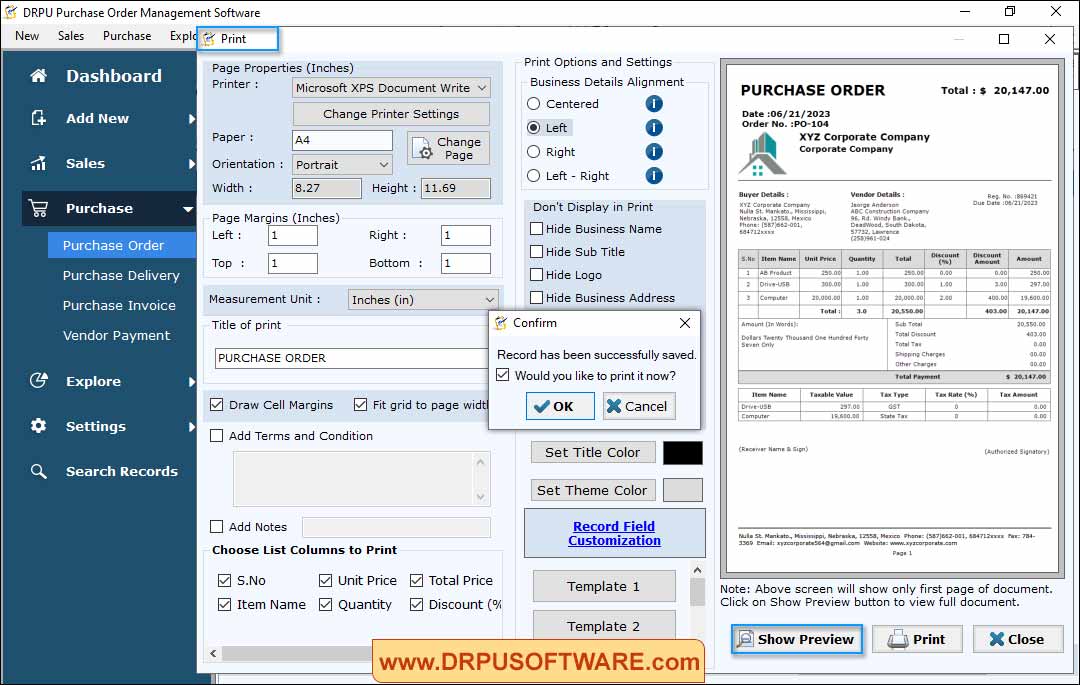
Fill all required fields then click on “Show Preview” button to print order details.


