
DRPU ID Cards Maker (Corporate Edition) Screenshots
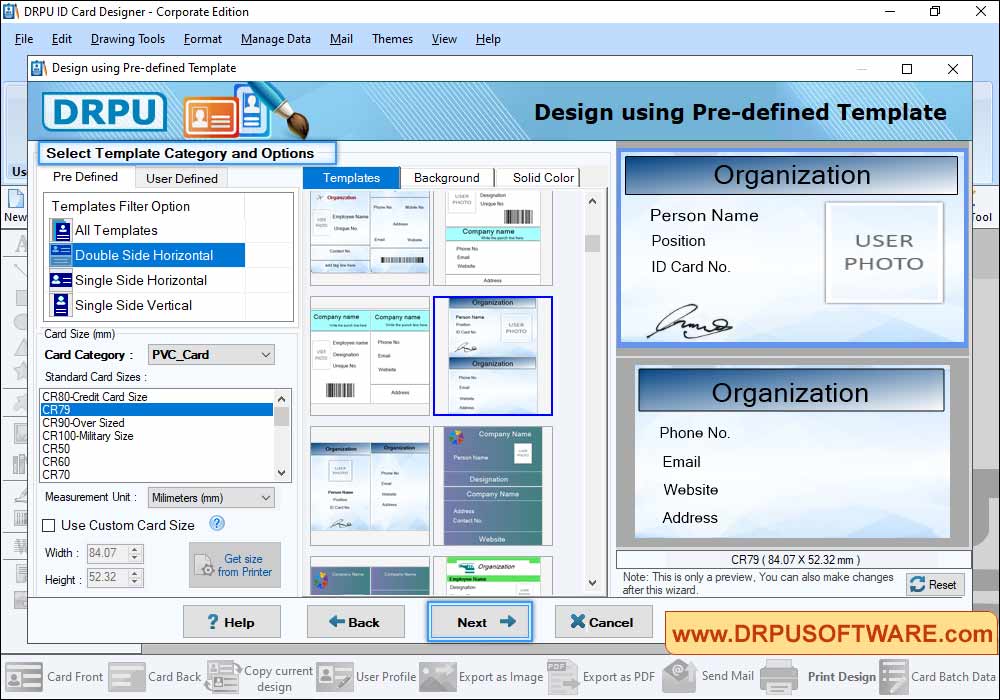
Select Template Category and choose template for your ID Card, Select Card Size, Width and Height as per your requirement.
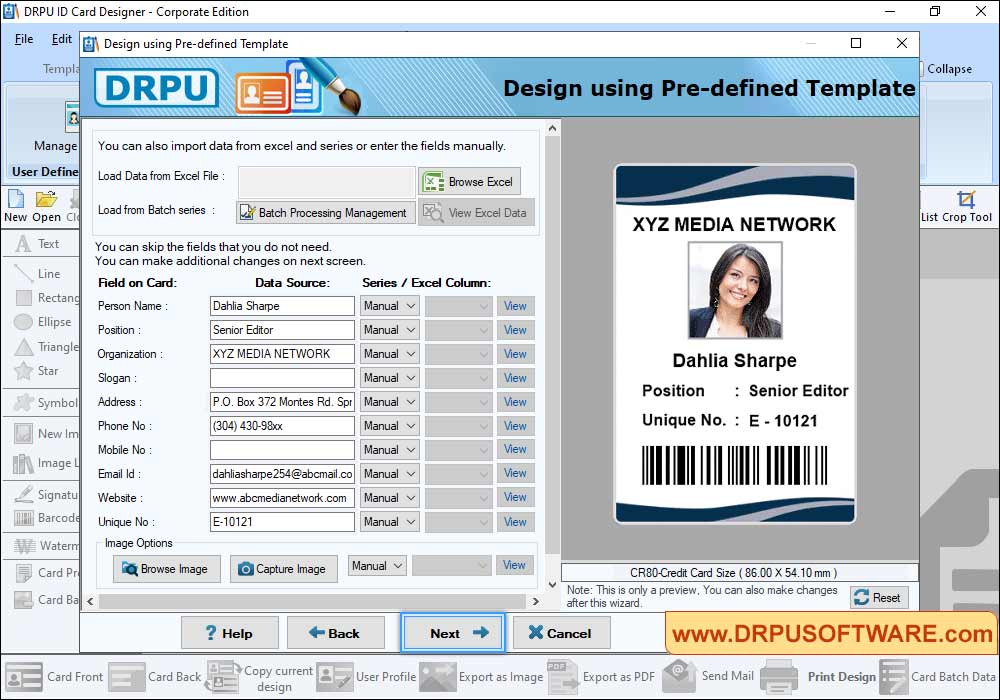
Click "Fill User Profile" button to add details on Templates (including Name, Title, Company Name, Company Slogan etc). If You want to enter details using Excel file, Use "Browse Excel File" button. You can add image on your card by browsing the path of that image or by capturing image using Camera.
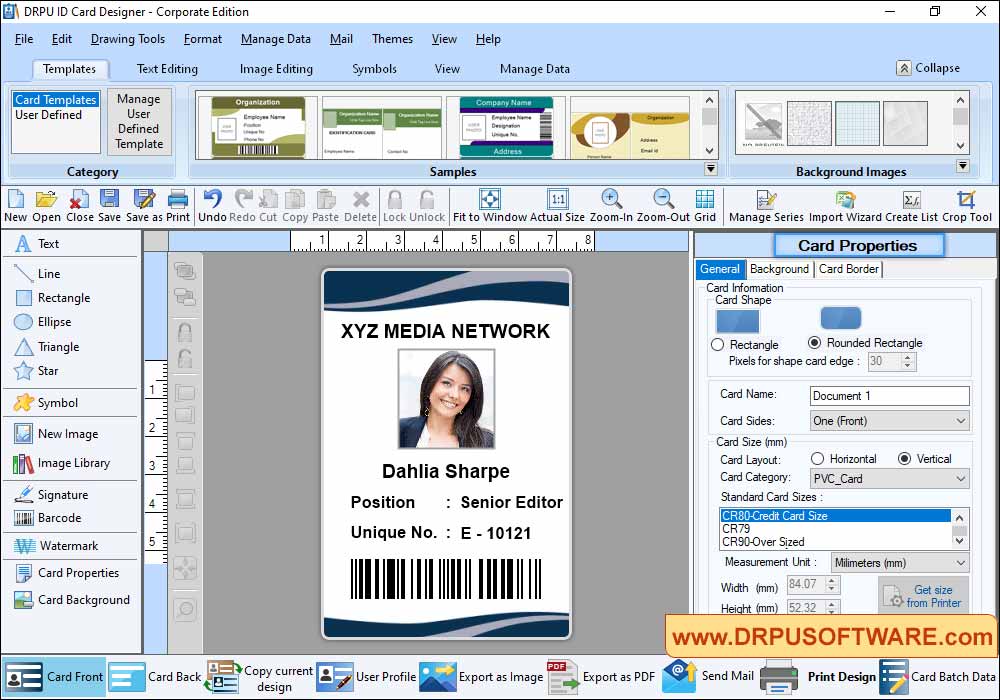
Using Card properties, You can make further changes in your card like Card Size, Card Shape etc.
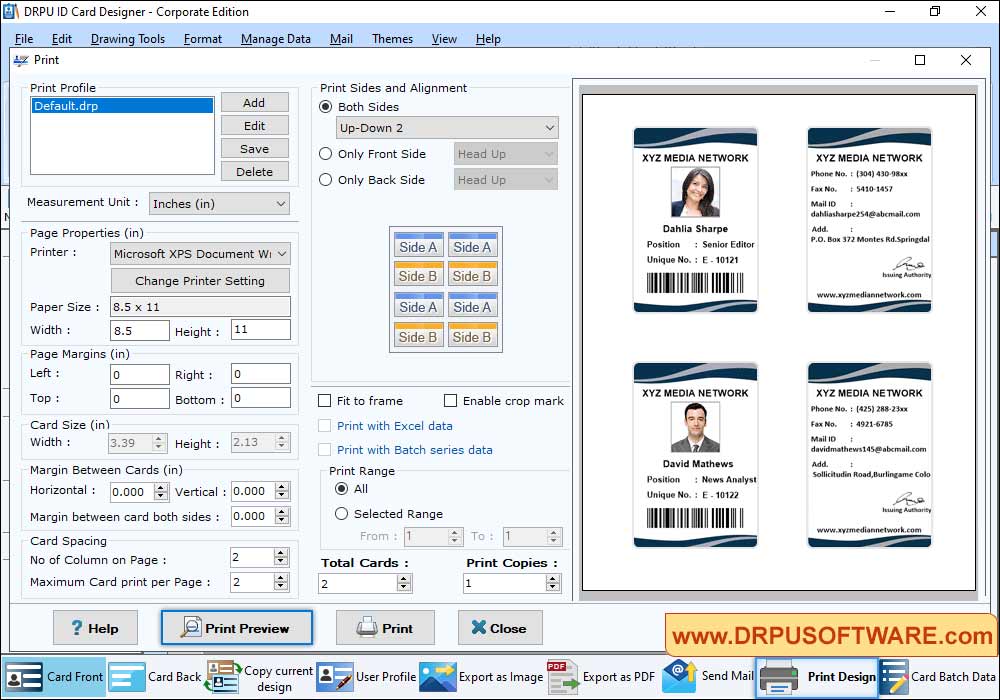
To print your designed ID card, First go to 'Print' option in software Tool Bar. Fill all the printing details as per your requirements then click on Print Button.
Our Cards & Labels Designing Software :-

DRPU Card and Label Designer Software

DRPU Business Card Maker Software

DRPU Birthday Card Designer Software

DRPU ID Card Design Software

DRPU Visitors ID card Management Software

DRPU Student ID Cards Maker

DRPU ID Cards Maker (Corporate Edition)

DRPU Greeting Card Maker Software

DRPU Logo Designer Software

DRPU Wedding Card Designer

ID Card Designing Software for Mac