
DRPU Bulk SMS – Android Mobile Phones Screenshots
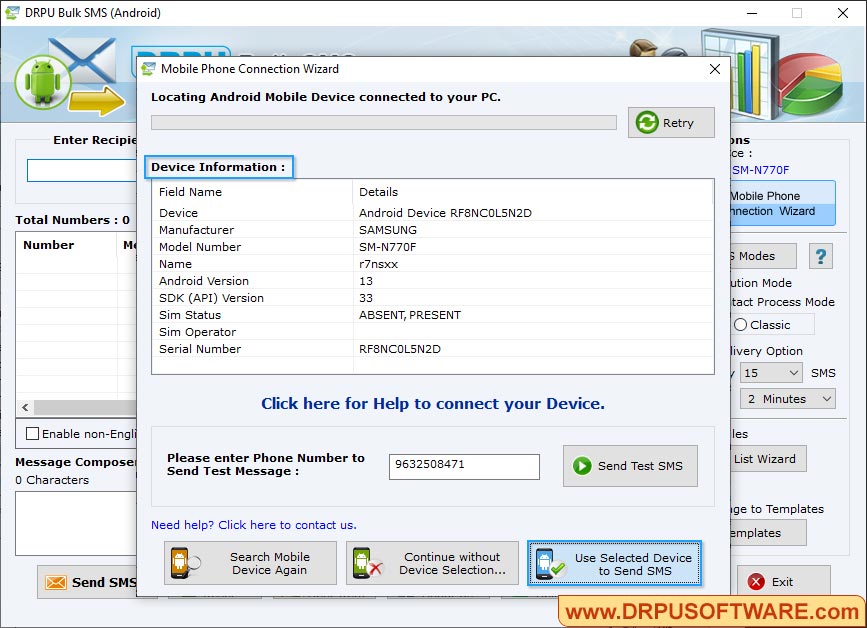
Screenshot shows Mobile Phone connection Wizard with connected device information, Click on “Use Selected Device to Send SMS” button.
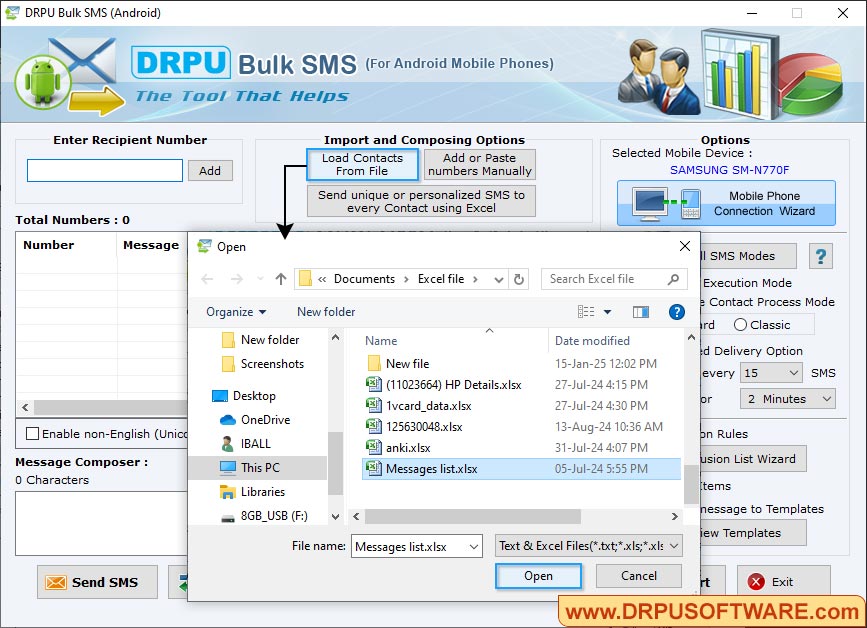
Click on “Load Contacts From File” to load contacts, select “One by One Contact process mode” to execute message from list separately. Click on “Send” button for executing message sending process.
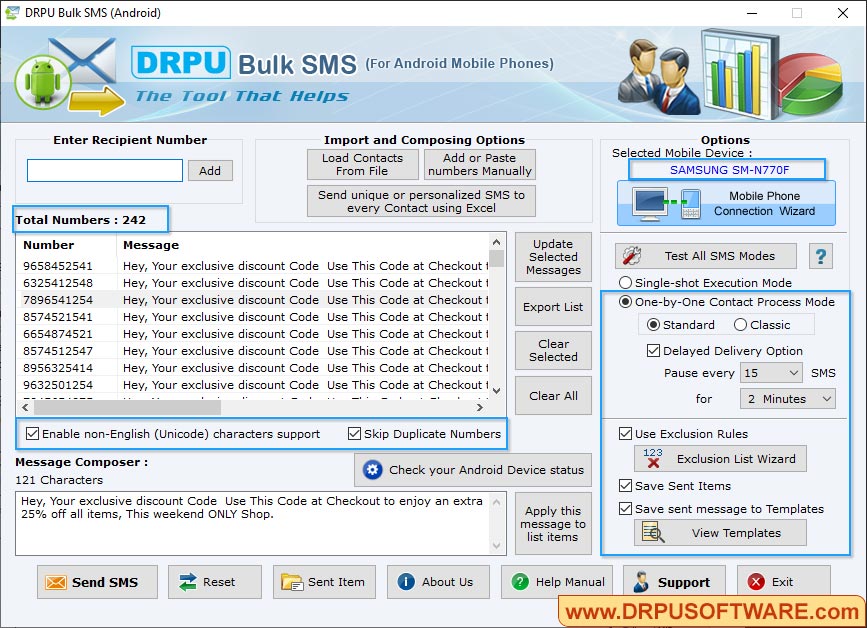
Screenshot shows message sending process using One-by-One message sending process.
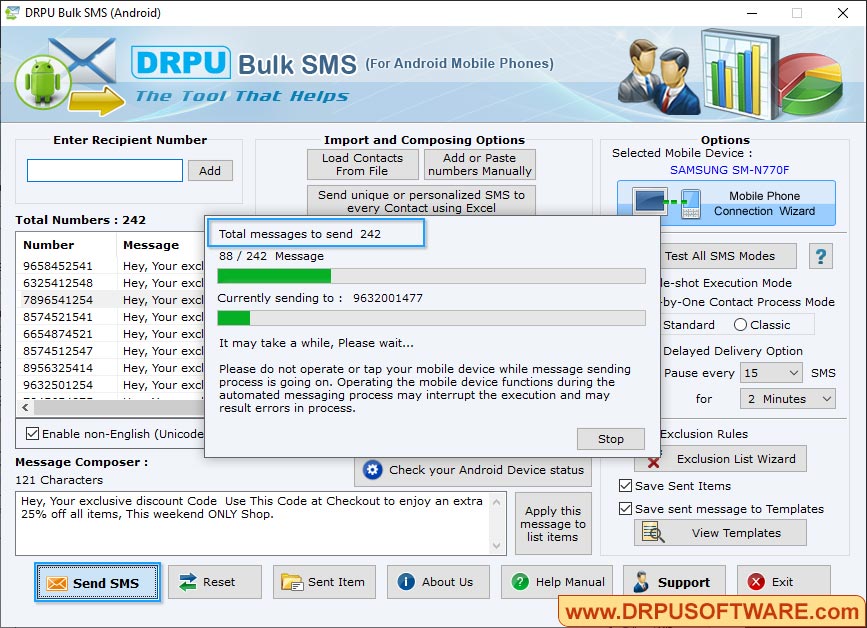
Currently performing message sending process. On clicking “Stop” button, user can stop message sending process.


